 注: 建议图片大小150px*50px
Views: 0 Author: Site Editor Publish Time: 2025-09-04 Origin: Site
Are ultra-wide curved PC monitors the future of display technology? With their unique design, they promise an immersive experience. But are they truly worth the investment? This article explores what makes these monitors stand out and why you might consider one. You'll learn about their benefits, drawbacks, and whether they're a fit for your needs.
Ultra-wide curved PC monitors offer several compelling advantages that enhance your computing experience. Here’s a detailed look at their key benefits:
The curved design wraps the screen around your field of vision, creating a natural, immersive feel. It mimics the shape of your eyes, making it easier to focus on content without distractions. This immersion is especially noticeable when gaming or watching movies, where the visuals feel more engaging and lifelike.
Curvature adds a subtle 3D effect, making images and scenes appear more dimensional. This enhanced depth perception helps gamers judge distances and spatial relationships better, improving gameplay. For professionals, it can make design work or video editing feel more intuitive and precise.
Flat monitors often show distortion or glare at the edges, but curved screens minimize these issues. The curve directs light toward your eyes, reducing reflections from ambient light sources. This leads to clearer images and less eye strain, even in brightly lit rooms.
Ultra-wide curved monitors cover more horizontal space than traditional screens. This wider field of view allows you to see more content at once without moving your head excessively. It’s perfect for multitasking, as you can have multiple windows open side-by-side comfortably.
Because the curve guides your eyes naturally toward the center, you don’t need to shift your gaze as much. This reduces eye fatigue during long work or gaming sessions. Plus, the ergonomic design encourages better posture by minimizing head and neck movement.
Curved ultra-wide monitors look sleek and modern. Their distinctive shape adds a stylish touch to any workspace or gaming setup. Beyond function, they serve as a statement piece, enhancing the overall vibe of your environment.
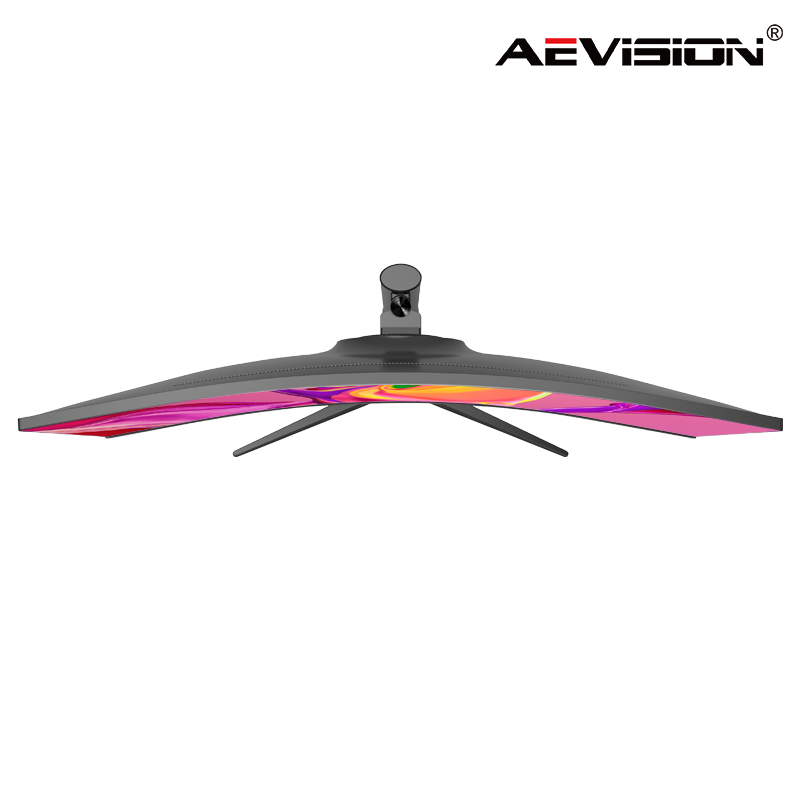
While ultra-wide curved PC monitors bring many benefits, they also come with some drawbacks you should consider before buying.
Curved ultra-wide monitors tend to cost more than flat ones. The advanced technology and larger screen sizes often push prices higher. Plus, the selection can be limited compared to flat monitors. If you’re on a budget or want many options, this might be a challenge.
Switching from a flat to a curved screen can feel strange at first. Your eyes and brain may need time to get used to the curve. Some users experience discomfort or awkwardness initially. However, most adapt after a few days or weeks of regular use.
These monitors usually take up more desk space due to their width and curve. If you have a small or cluttered workspace, fitting one might be tough. Also, curved monitors may not work well with certain mounts or multi-monitor setups, limiting flexibility.
Curved screens look best when you sit directly in front of them. Viewing from the side can cause color shifts or distortion. This can be a problem if multiple people need to see the screen at once or if you often move around while working.
Not all software or video content is designed for curved ultra-wide displays. Some apps may not stretch correctly or may appear distorted. This can affect your viewing experience, especially if you rely on specific tools or media.
For a few users, the immersive curve can cause motion sickness or dizziness, especially during fast-paced gaming or video watching. If you’re prone to motion sensitivity, it’s wise to test a curved monitor first.
Curved and flat monitors offer distinct viewing experiences. Curved screens wrap around your field of vision, creating a more immersive feel. This design reduces eye movement by guiding your gaze naturally toward the center, which can make long sessions easier on your eyes. Flat monitors, on the other hand, provide a consistent viewing plane that some users find simpler and more straightforward, especially for tasks requiring precise alignment, like graphic design or spreadsheets.
The curve reduces distortion and glare at the edges, common in flat screens, enhancing image clarity. However, curved monitors demand you sit directly in front for the best view. Viewing from angles can cause color shifts or image distortion. Flat monitors maintain consistent colors and clarity across wider viewing angles, making them better for collaborative environments.
Gamers often prefer curved monitors for immersion. The wrap-around effect enhances peripheral vision, making gameplay more engaging and realistic. The curved design helps judge distances and spatial relationships better, which can improve reaction times in fast-paced games.
However, some curved monitors may have slower response times or higher input lag compared to flat models, especially budget options. Competitive gamers who prioritize speed and precision might favor flat monitors with faster refresh rates and lower latency. Also, the curve can sometimes cause motion sickness or dizziness in sensitive players during rapid in-game movements.
For professionals, the choice depends on the work nature. Curved monitors benefit video editors, graphic designers, and content creators by offering enhanced depth perception and a wider field of view. This setup allows multitasking with multiple windows open side-by-side without constant head turning.
Flat monitors excel in professions requiring exact color accuracy and straight lines, such as CAD design or architectural work. The flat screen ensures no geometric distortion, which is critical for precision tasks. Also, flat monitors typically fit better in multi-monitor setups, as aligning curved screens seamlessly can be challenging.
Ultra-wide curved PC monitors offer immersive viewing, enhanced depth perception, and reduced glare but can be costly and require more space. They are ideal for gaming and multitasking but may not suit precise tasks. Despite some drawbacks, these monitors can significantly enhance your computing experience. AEVISION provides high-quality ultra-wide curved monitors that deliver exceptional value, blending modern aesthetics with advanced features to meet diverse needs.
A: An ultra-wide curved PC monitor is a large display with a curved design that enhances immersion and offers a wider field of view compared to traditional flat screens.
A: They cost more due to advanced technology, larger sizes, and the immersive experience they offer, often making them pricier than flat monitors.
A: The curve aligns with your natural eye shape, minimizing eye movement across the screen, reducing fatigue during prolonged use.


