注: 建议图片大小150px*50px
Views: 0 Author: Site Editor Publish Time: 2026-10-20 Origin: Site
Investing in high-end surveillance cameras is completely wasted if a display bottleneck prevents operators from identifying critical details. You might capture flawless 4K footage at the source, but a subpar screen will hide crucial evidence behind blurry pixels and washed-out colors. Standard consumer displays often fail under the grueling demands of video surveillance environments. These screens suffer from permanent image burn-in, rapid hardware degradation, and ultimately create dangerous security blind spots for your personnel.
Our goal is to provide a realistic, evidence-based framework for evaluating a commercial display. We will guide you through matching technical compatibility, operational demands, and budget to find the perfect fit for your command center. You will learn how to align display capabilities directly with your camera output and avoid common hardware pitfalls. By understanding the underlying panel technology and mounting requirements, you can build a more resilient, highly effective security monitoring station.
Never pair a 4K camera system with a 1080p monitor; resolution must match the output of your NVR/DVR.
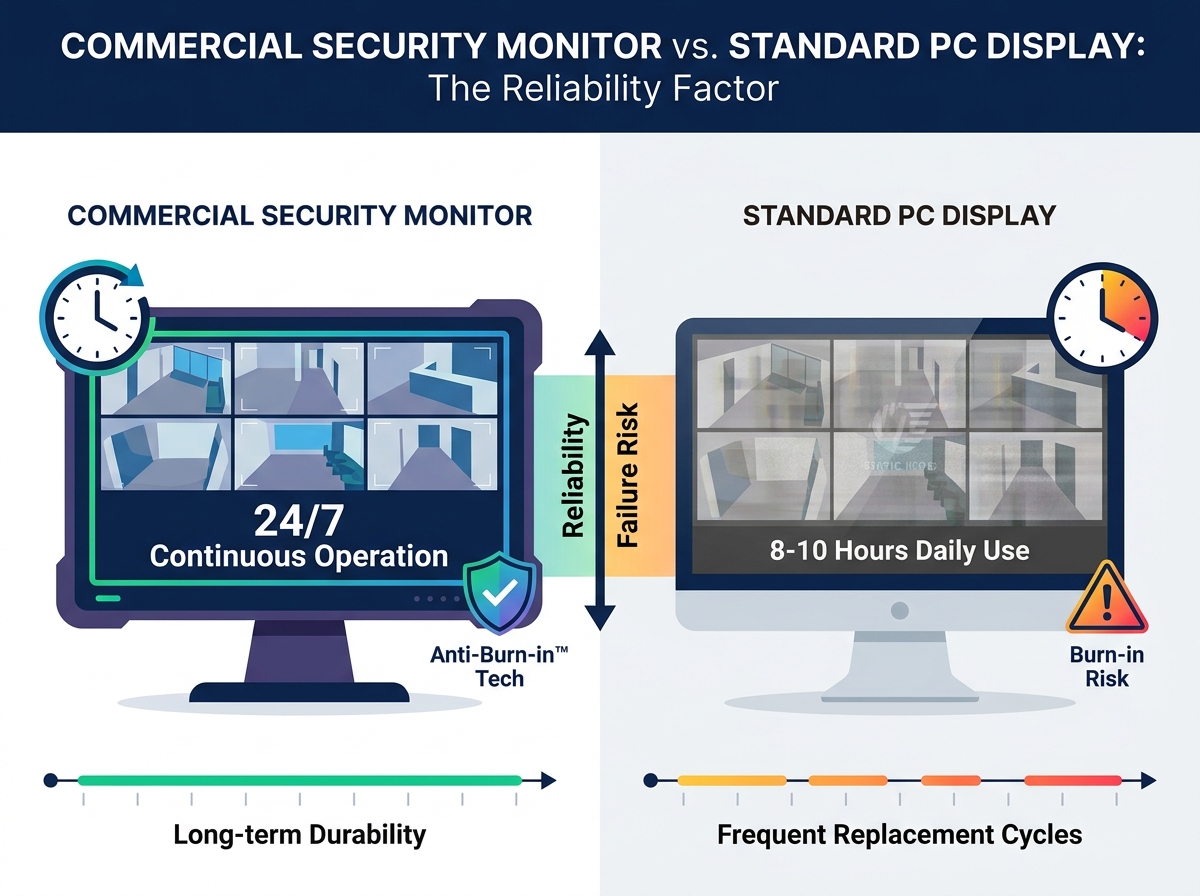
Standard PC monitors are not built for 24/7 continuous operation and suffer from image retention (burn-in) faster than purpose-built security displays.
Choosing the right monitor size depends directly on the number of camera feeds (split-screen matrix) and operator viewing distance.
When outfitting a control room, many buyers mistakenly assume standard computer screens can handle the workload. Understanding the technical divide between consumer panels and commercial hardware is critical for long-term system stability.
The most significant difference between a consumer panel and a professional security monitor is the intended duty cycle. Manufacturers design standard PC screens for roughly eight to ten hours of daily use. When forced to run continuously, their internal components quickly degrade. Commercial security monitors carry a rigorous 24/7/365 rating. This continuous duty cycle certification means the display can run endlessly without shutting down, maintaining consistent brightness and color accuracy throughout its lifespan.
Surveillance systems uniquely stress displays because they render static grid lines and unmoving camera angles for days at a time. On a standard PC monitor, these persistent static images quickly cause permanent ghosting—a phenomenon known as image retention or burn-in. Once a grid burns into the screen, it obscures live footage and ruins the display. Professional security displays combat this by utilizing built-in Anti-Burn-in™ technology. This software subtly shifts the pixels at imperceptible intervals, preventing static elements from damaging the liquid crystal or LED layers.
Continuous operation generates substantial heat. Consumer monitors utilize basic plastic enclosures and minimal heat sinks, which trap thermal energy and accelerate capacitor failure. In contrast, commercial displays feature upgraded internal power supplies and robust heat dissipation mechanisms. They often employ metal bezels and advanced venting systems designed specifically to expel heat efficiently. This thermal management prevents circuit board warping and ensures the monitor remains reliable during critical security events.
Common Mistake: Repurposing an old office computer monitor for a new surveillance system. While it saves money initially, the panel will likely fail within the first year of continuous operation, causing unexpected downtime.
Even the most durable commercial panel becomes a liability if it cannot accurately render the video signal it receives. Aligning your display resolution and connection ports with your recording hardware is non-negotiable.
Security professionals strictly follow the 1:1 resolution rule. If your Network Video Recorder (NVR) outputs a 4K video signal, you absolutely must use a 4K display. When you pair 4K cameras with a 1080p screen, the monitor forcibly compresses the image. This compression destroys the fine details necessary for forensic analysis, such as reading license plates or identifying facial features. Furthermore, a 4K display allows operators to utilize digital zoom on a single camera feed without immediate pixelation, retaining crisp edges and clear subjects.
Your choice of monitor must perfectly align with the output ports available on your recording equipment. Adapters introduce failure points and signal latency, so native connections are always preferred.
HDMI and DisplayPort: These represent the industry standard for modern NVRs. They support high-bandwidth 4K video alongside audio transmission, making them ideal for high-definition IP camera setups.
VGA: You will frequently find VGA ports on older DVR systems. While reliable, VGA is an analog standard that severely limits resolution bandwidth, typically capping out at 1080p and sometimes introducing signal noise over longer cable runs.
BNC Connectors: These are absolutely critical for legacy analog systems. BNC inputs allow direct coaxial connections from the camera or DVR to the monitor. This direct line ensures zero-latency video transmission, which remains highly valued in certain real-time casino or industrial monitoring environments.
The consumer electronics market heavily markets high refresh rates like 144Hz or 240Hz for gaming. For a cctv monitor screen, these numbers are entirely irrelevant. Most surveillance cameras capture footage at 15 to 30 frames per second (fps) to conserve hard drive space. Therefore, a standard 60Hz monitor refreshes the screen twice as fast as the camera provides new frames. Spending extra budget on high refresh rates offers zero operational benefit for video surveillance.
Buying the largest screen available is rarely the smartest strategy. The physical dimensions of your display must correlate directly with your camera grid layout and the architectural constraints of your control room.
Surveillance software divides the screen into a matrix to show multiple camera feeds simultaneously. This split-screen layout heavily dictates the appropriate monitor size. If you run a simple 4-camera grid (a 2x2 layout), a standard 22-inch or 24-inch screen provides enough physical space to view each feed comfortably. However, if you upgrade to a 16-camera grid (a 4x4 layout) on that same 24-inch screen, each camera feed shrinks to the size of a smartphone display. Identifying a trespasser on a screen that small is nearly impossible. For a 16-camera matrix, you require at least a 32-inch or ideally a 43-inch display to maintain actionable visibility for each individual zone.
Physical setup profoundly impacts operator performance. Screen size must scale proportionally with the distance between the operator's desk and the display wall. If you place a massive 55-inch screen just two feet from a security guard's face, they will experience severe neck strain and visual fatigue trying to track movement across the massive surface area. Conversely, mounting a small 24-inch monitor high on a wall six feet away renders the details useless.
Camera Matrix | Recommended Minimum Size | Optimal Resolution | Ideal Viewing Distance |
|---|---|---|---|
4 Cameras (2x2) | 22 - 24 inches | 1080p | 2 - 3 feet |
9 Cameras (3x3) | 27 - 32 inches | 1440p / 4K | 3 - 4 feet |
16 Cameras (4x4) | 43+ inches | 4K | 4 - 6 feet |
32+ Cameras | Dual 43+ inch screens | Dual 4K | 5 - 8 feet |
Before purchasing hardware, you must evaluate the physical limitations of your monitoring station. Desktop mounts work well for single-operator kiosks, but desk depth limits maximum screen size. Rack-mount monitors offer extreme security and space efficiency in server rooms, but they are typically capped at 19 inches diagonally to fit standard IT racks. Wall mounting provides the greatest flexibility for large format displays, but requires strict adherence to structural weight limits.
Budgeting for a surveillance display requires looking beyond the initial sticker shock. Making purchasing decisions based solely on immediate discounts often leads to higher operational expenses over a three- to five-year period.
It is easy to fall into the trap of purchasing a cheap display after seeing an online monitor for sale at a massive discount. However, buying consumer-grade hardware for a commercial environment creates a cycle of constant replacement. A $100 consumer display forced to run 24/7 will likely suffer hardware failure or severe burn-in within 18 months. Replacing that cheap screen three times over five years quickly outpaces the initial investment of a single $250 commercial display. Furthermore, constant replacements introduce severe hidden costs, primarily system downtime and the labor required to re-cable and recalibrate the workstation.
When evaluating the monitor price, you must carefully read the warranty documentation. Standard retail warranties for consumer electronics contain explicit clauses that void coverage if the device operates continuously in a commercial environment. If a cheap retail monitor dies after six months of 24/7 use, the manufacturer will legally deny your RMA request. Commercial security displays include robust Service Level Agreements (SLAs) designed specifically for continuous operation, guaranteeing rapid replacements and comprehensive coverage regardless of your uptime.
Because security screens never power down, electrical efficiency plays a major role in long-term financial planning. Commercial panels frequently utilize specialized LED backlighting arrays that draw significantly less continuous power than their consumer counterparts. Over a 3- to 5-year operational lifespan, the energy savings from a highly efficient commercial panel can noticeably offset its higher initial purchase price.