 注: 建议图片大小150px*50px
Views: 0 Author: Site Editor Publish Time: 2026-01-14 Origin: Site
A clean LED TV monitor is crucial for the best viewing experience. Dust and smudges can affect screen clarity.In this article, we’ll guide you on how to clean your LED TV monitor safely. You’ll learn the right tools and methods for a spotless screen.Learn more about AEVISION’s products to maintain your LED monitors.
A clean screen is crucial for the best viewing experience. Dust, fingerprints, and other particles on the screen can distort the image, reduce brightness, and make it harder to see fine details. These smudges can diminish the clarity and vibrancy of colors, leading to a less immersive viewing experience. Regular cleaning ensures you can enjoy your TV's high-definition display, sharp visuals, and true-to-life colors, making the most out of every viewing session.
Using the wrong cleaning materials, such as harsh chemicals, abrasive cloths, or paper towels, can damage the screen’s protective coating. Harsh chemicals like ammonia or alcohol-based cleaners can strip away the delicate coating, leading to permanent marks, streaks, or discoloration that affect the picture quality. To prevent this, always use the right tools and methods when cleaning your LED monitor. A gentle cleaning routine with appropriate materials ensures a long-lasting, clear display.
Regular cleaning not only improves viewing quality but also helps preserve the functionality of your LED TV monitor. Dust and debris that accumulate over time can get trapped inside the screen or the internal components, affecting the TV’s performance. By cleaning your monitor regularly, you reduce the risk of dust buildup, which can lead to overheating or malfunctioning. Proper maintenance can keep your TV functioning efficiently for years, extending its lifespan and preserving its picture quality.
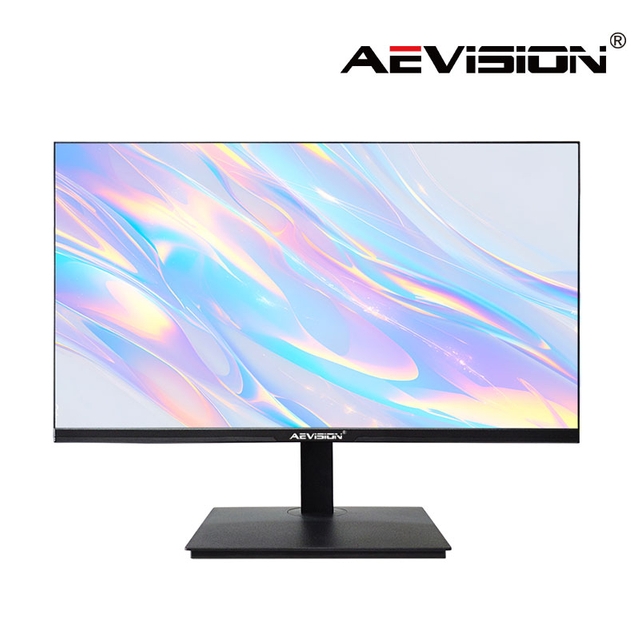
Microfiber cloths are the most recommended tool for cleaning LED screens. These soft, lint-free cloths effectively trap dust and fingerprints without scratching or damaging the surface. They are designed to attract and hold dust, making them highly effective for cleaning delicate screens. Microfiber cloths are also gentle enough to clean the screen's coating without leaving any residues or fibers behind, ensuring a streak-free finish.
For cleaning more stubborn marks or fingerprints, a slightly dampened microfiber cloth with distilled water or a specialized screen cleaner works best. Distilled water is preferred because it is free of minerals that could leave streaks or deposits on the screen. Screen cleaners specifically designed for LCD or LED screens are a safer option than general-purpose cleaners. They clean without damaging the screen’s surface and leave it spotless without residue.
For cleaning difficult-to-reach areas around the bezels or input ports, cotton swabs or soft brushes can be useful. These tools allow for precise cleaning of edges, corners, and small crevices that may accumulate dust and debris. They help clean the areas around the bezels and ports without risking scratches on the delicate screen surface. A soft brush can also be used to gently remove dust from vents or speaker grilles, keeping the TV in top condition.
Tool | Purpose | Why It’s Recommended |
Microfiber Cloth | To wipe the screen and remove dust and smudges | Soft, lint-free, prevents scratching the screen |
Distilled Water | To dampen the cloth and clean tough marks | Removes smudges without leaving mineral streaks |
Cotton Swabs/Soft Brushes | For cleaning edges and hard-to-reach areas | Helps clean bezels and input ports without damaging the screen |
Before you begin cleaning, always make sure to turn off and unplug the TV. This ensures your safety and prevents any accidental damage while cleaning. It also helps you see dust and smudges more clearly on a dark screen. If the TV has been on for a while, it’s a good idea to let it cool down before starting to clean.
Start the cleaning process by gently wiping the screen with a dry microfiber cloth to remove loose dust and particles. Move the cloth in circular motions or wipe from top to bottom. Be sure to avoid applying hard pressure, as this could damage the screen or cause pixel distortion. Microfiber cloths are effective at trapping dust without scratching the screen, making them ideal for this task.
If you notice stubborn smudges or fingerprints, lightly dampen the microfiber cloth with distilled water or a specialized screen cleaner. Gently wipe the affected areas in circular motions, ensuring the smudges are removed without damaging the screen. Never spray water or cleaner directly onto the screen to prevent liquid from seeping into the edges and causing internal damage.
The edges and bezels of the TV often accumulate dust and grime, especially around the input ports. Use a cotton swab or a soft brush to clean these areas carefully. These tools help you reach into tight spots and ensure a thorough clean without damaging the surface. Be gentle while cleaning, as applying too much pressure can scratch the bezel or harm the screen.
Step | Action | Important Tips |
Turn Off and Unplug the TV | Power down the TV and unplug it for safety | Ensures safety and helps spot dirt more easily |
Dry Dusting with Microfiber | Gently wipe the screen with a dry microfiber | Use circular motions to remove dust without pressing hard |
Wipe Away Smudges with Damp Cloth | Dampen microfiber cloth with distilled water | Avoid spraying water directly onto the screen |
Clean Edges and Bezels | Use cotton swabs or soft brushes for edges | Carefully clean around ports to avoid excess moisture |
Avoid using glass cleaners, ammonia, or alcohol-based products on your LED TV monitor, as these chemicals can damage the protective coating on the screen. Harsh chemicals can cause discoloration or even permanent damage. Stick to distilled water or a gentle screen cleaner designed specifically for LED monitors to maintain the quality of your monitor.
Pressing too hard while cleaning can damage the screen’s surface and lead to pixel distortion or permanent marks. It’s important to use light pressure when cleaning the screen. The microfiber cloth should be sufficient for dust and smudge removal, so there's no need to apply excessive force. Always let the cloth do the work to avoid damaging the display.
Never spray liquid directly on the screen. Excess moisture can seep into the edges of the monitor, potentially causing internal damage or short-circuiting the components. Always apply liquid to the microfiber cloth, then gently wipe the screen. This method ensures that the monitor stays dry and avoids unnecessary damage to the internal parts.
Mistake | Consequences | How to Avoid It |
Using Harsh Cleaning Products | Can damage the screen’s coating and surface | Stick to distilled water or screen cleaner made for LCDs |
Scrubbing Too Hard | Can lead to permanent scratches or distortions | Use light pressure and let the cloth do the work |
Spraying Liquid Directly | Liquid can seep into the screen’s edges and cause damage | Always spray liquid onto the cloth, not the screen |
Sticky fingerprints or food stains can be a challenge to clean. For regular marks, use a microfiber cloth dampened with distilled water. Gently dab the stain, allowing the cloth to break it down. For more stubborn stains, create a cleaning solution with equal parts distilled water and white vinegar or a diluted alcohol-water mix. Apply the solution to the cloth and gently wipe the area, ensuring not to press too hard on the screen to avoid damage.
Dust can often collect in hard-to-reach areas such as the corners, around the edges of the screen, or near the ports. To clean these areas, use a cotton swab dipped in your cleaning solution. Lightly run the swab along these surfaces to remove dust. Be cautious not to apply too much liquid, as excess moisture can seep into the monitor's internal components, potentially causing damage.
If you notice streaks after cleaning, a dry microfiber cloth can help remove them. Use light, circular motions to buff the screen and gently remove any residual moisture or cleaning solution. This process will leave your LED monitor looking clean and streak-free.
Generally, it’s recommended to clean your LED TV monitor every couple of weeks. However, this depends on your environment. For example, if you live in a dusty area or have pets, you may need to clean the screen more frequently to maintain optimal picture quality. Regular dusting with a microfiber cloth can be done daily or weekly to prevent dust buildup and reduce the need for more thorough cleanings.
For daily maintenance, simply dusting the screen with a soft, dry microfiber cloth can help maintain its cleanliness. This simple step can prevent dust buildup, ensuring that more intensive cleanings are less frequent and reducing the amount of time spent cleaning.
Touching the screen directly can leave fingerprints, smudges, and oils that are difficult to clean. Encourage family members or others in your household to avoid touching the screen. Instead, use a remote control or other device to interact with the TV. This will help maintain a clearer, more pristine screen for longer.
To prevent dust from accumulating on the screen, it’s essential to keep the area around your LED TV clean. Dust the TV stand, wall mount, and any nearby surfaces regularly. By reducing the amount of dust in the vicinity, you can help maintain a cleaner screen and reduce the frequency of cleanings needed on the actual display.
Cleaning your LED TV monitor is simple with the right tools and techniques. Regular cleaning prevents dust buildup and improves viewing quality. It also helps extend the lifespan of your TV. By following the steps above and avoiding mistakes, you can maintain your monitor and enjoy a crisp picture. AEVISION offers reliable solutions that ensure your LED monitors stay in top condition, providing lasting value for your investment.
A: To clean your LED TV monitor, use a microfiber cloth to wipe away dust. For smudges, dampen the cloth with distilled water or a screen cleaner. Avoid using harsh chemicals.
A: No, paper towels can scratch the screen. Always use a microfiber cloth to avoid damaging the delicate surface of the LED TV monitor.
A: It's recommended to clean your LED TV monitor every 1-2 weeks to prevent dust buildup and maintain a clear, sharp picture.
A: Use distilled water or a screen cleaner designed for LED TVs. Avoid products with ammonia, alcohol, or harsh chemicals to prevent screen damage.


